Hero Wars PC 2026: Complete Guide to Playing on Desktop & Optimization Tips
Introduction
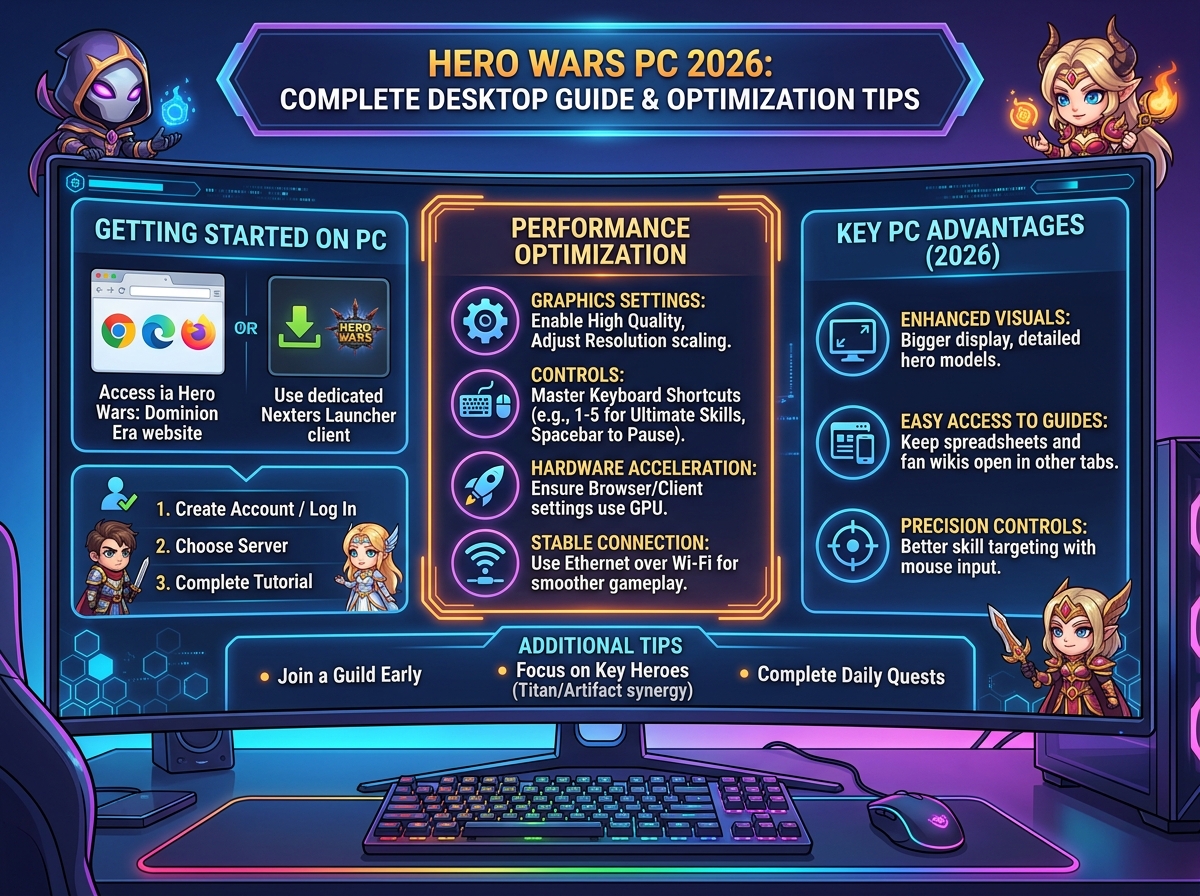
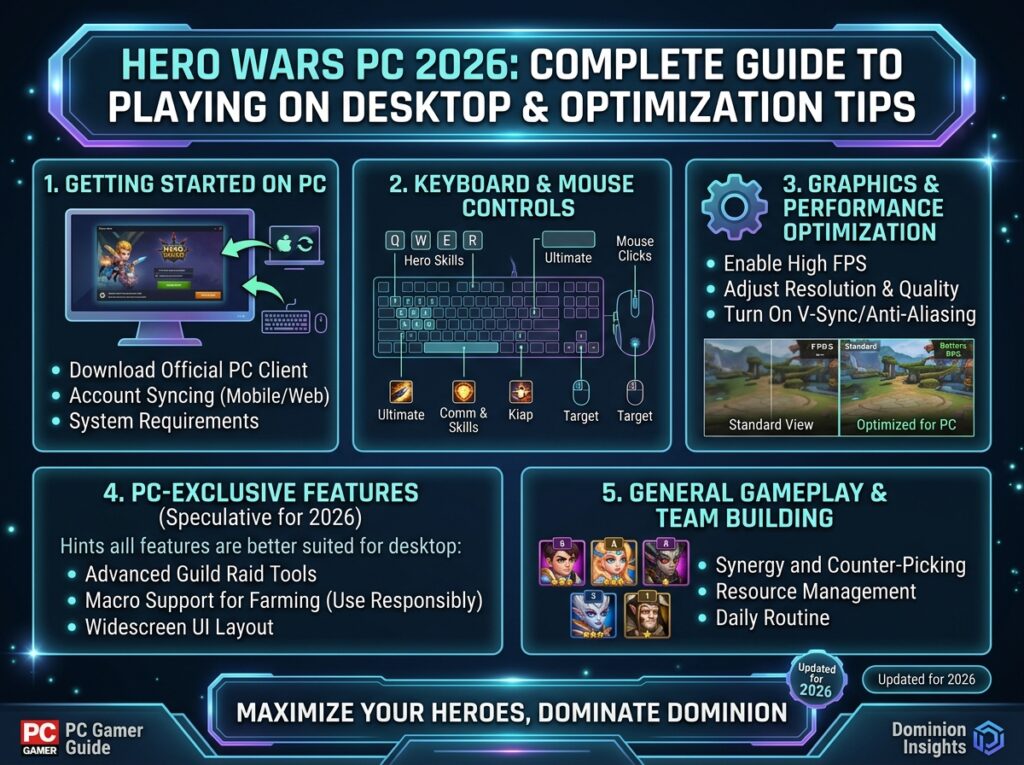
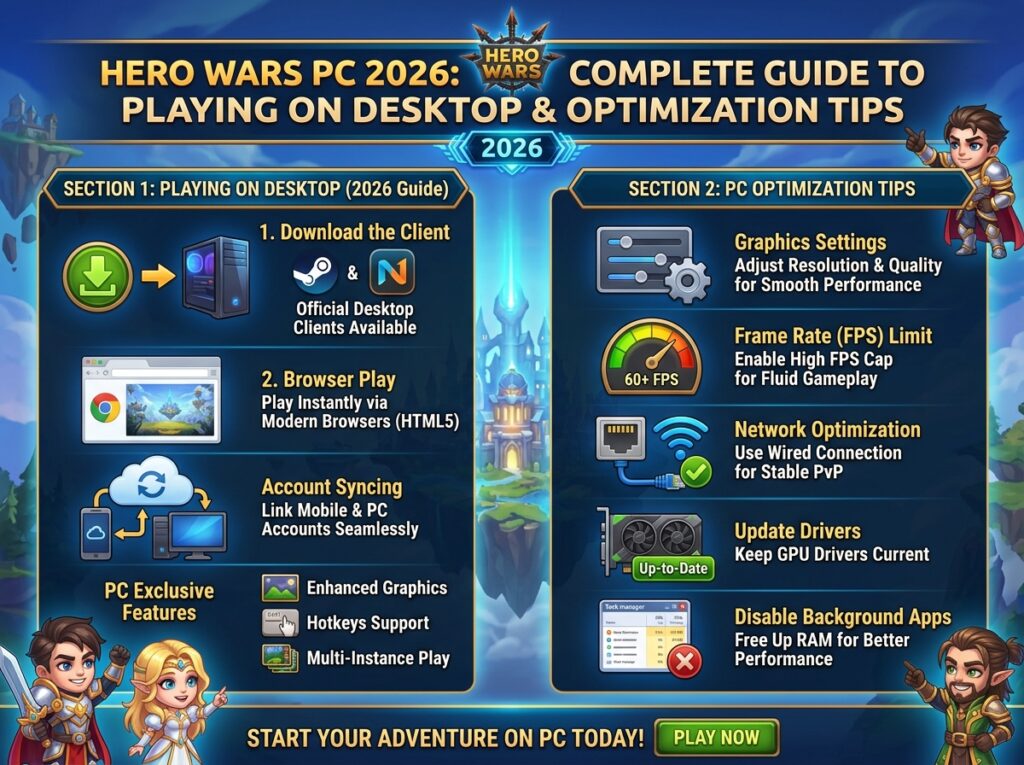
Playing Hero Wars on PC offers significant advantages over mobile devices, including better performance, easier multitasking, and enhanced control options. Whether you’re using the official web version, Facebook Gaming, or an Android emulator, this guide covers everything you need for the optimal desktop experience.
As the game continues evolving in 2026, PC players maintain competitive edges in Guild Wars and events through superior interface control and macro capabilities.
Hero Wars PC Platform Options
Table of Contents
Official Web Version (Recommended)
Access Method:
- Direct browser play at hero-wars.com
- No download required
- Cross-platform account sync
- Full feature parity with mobile
Browser Recommendations:Table
| Browser | Performance | Features | Best For |
|---|---|---|---|
| Google Chrome | Excellent | Full support | General play |
| Mozilla Firefox | Very Good | Privacy focused | Security-conscious |
| Microsoft Edge | Excellent | Windows integration | PC gamers |
| Opera GX | Good | Gaming features | Streamers |
| Safari | Good | Mac optimized | Apple users |
Optimization Settings:
- Enable hardware acceleration
- Allow autoplay for sound
- Disable power-saving mode while playing
- Clear cache weekly for performance
Facebook Gaming Platform
Setup Process:
- Visit Facebook Gaming section
- Search “Hero Wars”
- Launch game instantly
- Connect existing account or create new
Facebook-Specific Features:
- Easy friend invitation
- Facebook-exclusive events
- Streamer code integration
- Social guild recruitment
Account Linking:
- Mobile progress transfers seamlessly
- Same servers as web version
- Shared guild membership
Android Emulators (Bluestacks, Nox, LDPlayer)
When to Use Emulators:
- Prefer mobile interface on large screen
- Want macro/automation capabilities
- Need multiple account management
- Mobile-exclusive events participation
Recommended Emulators 2026:Table
| Emulator | Performance | Features | Ease of Use |
|---|---|---|---|
| Bluestacks 5 | ★★★★★ | Excellent | Very Easy |
| LDPlayer 9 | ★★★★★ | Good | Easy |
| NoxPlayer | ★★★★☆ | Very Good | Moderate |
| MEmu Play | ★★★★☆ | Good | Easy |
Bluestacks Optimization:
- 4GB RAM allocation minimum
- DirectX mode for graphics
- 60 FPS cap for stability
- Key mapping for common actions
PC vs. Mobile: Detailed Comparison
Performance & Stability
Table
| Aspect | PC Advantage | Mobile Advantage |
|---|---|---|
| Loading Speed | 2-3x faster | Portable instant access |
| Crash Rate | Near zero | Occasional app crashes |
| Battery | Unlimited | Limited session length |
| Heat/Throttling | None | Performance degradation |
| Multi-tasking | Excellent | Limited background function |
Gameplay Experience
PC Superior Elements:
- Larger screen reveals more battle detail
- Mouse precision for ability targeting
- Keyboard shortcuts for menu navigation
- Easier spreadsheet/data management
- Screenshot/video capture quality
Mobile Superior Elements:
- Touch controls feel natural for some
- Play anywhere convenience
- Push notifications for events
- Native vibration feedback
- Portrait mode for one-handed play
PC Optimization Guide
System Requirements & Settings
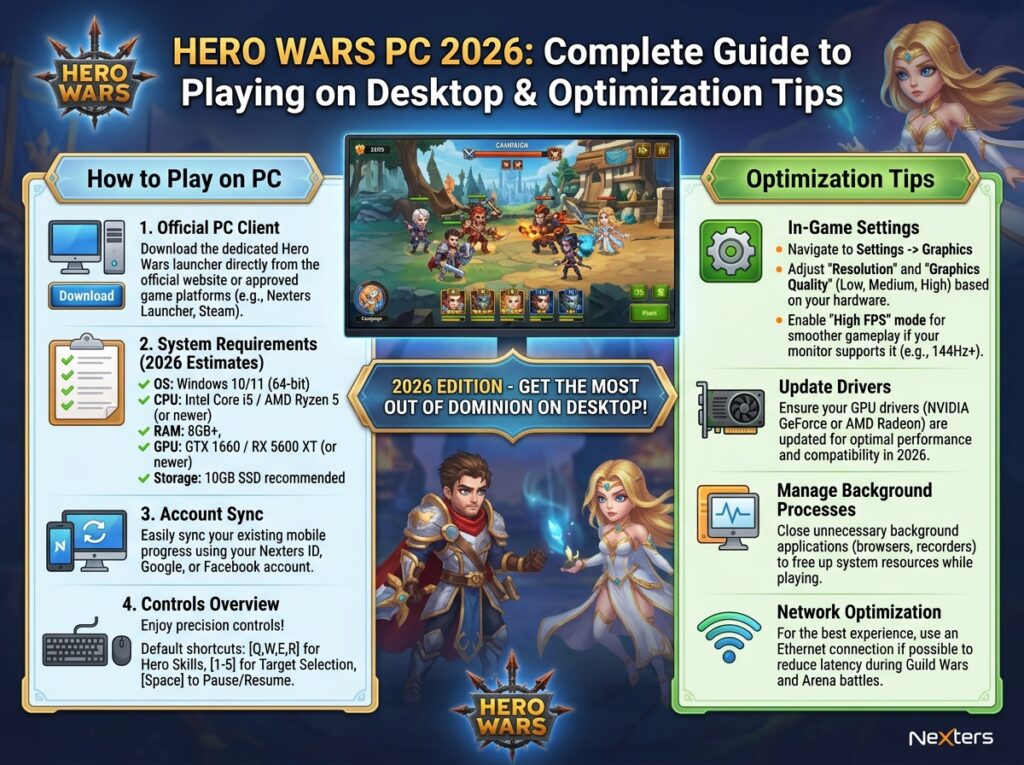
Minimum Requirements:
- OS: Windows 10/macOS 10.15/Linux (latest)
- CPU: Intel i3 / AMD Ryzen 3
- RAM: 4GB
- GPU: Integrated graphics acceptable
- Internet: 5 Mbps stable
Recommended for Smooth Play:
- CPU: Intel i5 / AMD Ryzen 5
- RAM: 8GB+
- GPU: Dedicated graphics (GTX 1050+)
- Internet: 10+ Mbps
Browser Optimization Techniques
Chrome/Edge Optimization:
plain
Copy
1. chrome://flags/ → Enable "GPU rasterization"
2. chrome://settings/performance → Enable "Memory Saver" OFF
3. Disable unnecessary extensions
4. Use gaming profile if available
Network Optimization:
- Use wired connection when possible
- Enable QoS for gaming traffic
- Close bandwidth-heavy applications
- Consider gaming VPN for routing optimization
H3: Multi-Account Management
Legitimate Multi-Account Setup:
- Separate browser profiles per account
- Container tabs (Firefox Multi-Account Containers)
- Different emulators for each account
- Clear cookies between sessions
Use Cases:
- Guild alt accounts for resources
- Testing different team compositions
- Separate F2P and spending accounts
Advanced PC Features
Keyboard Shortcuts & Macros
Recommended Key Mappings (Bluestacks):Table
| Action | Key | Purpose |
|---|---|---|
| Ultimate Ability | Q, W, E, R, T | Quick skill activation |
| Speed Up | Spacebar | Toggle battle speed |
| Pause | P | Strategic pause |
| Screenshot | F12 | Capture moments |
| Menu | Esc | Quick menu access |
Macro Guidelines:
- Automate daily routine tasks
- Tower climbing sequences
- Resource collection patterns
- Warning: Never automate PvP or competitive events (bannable)
Data Management Tools
Spreadsheet Integration:
- Export hero data via screenshots/OCR
- Track resource income/expenses
- Plan upgrade sequences
- Monitor event progress
Third-Party Tools (Use Caution):
- Hero Wars calculators (web-based)
- Community databases (official Discord)
- Timers for event scheduling
Troubleshooting Common PC Issues
Performance Problems
Slow Loading/Freezing:
- Clear browser cache and cookies
- Disable hardware acceleration (counter-intuitive but sometimes helps)
- Reduce browser tab count
- Check for Windows updates
Audio Issues:
- Allow autoplay in browser settings
- Check default audio device
- Disable browser audio “energy saving”
Account & Sync Issues
Progress Not Syncing:
- Verify account linking (Facebook/email)
- Check server selection matches mobile
- Contact support with player ID from both platforms
Login Failures:
- Try alternate login method (email vs Facebook)
- Check for maintenance announcements
- Verify system time is correct (affects certificates)
FAQ – Hero Wars PC 2026
Table
| Question | Answer |
|---|---|
| Is PC version official? | Yes—web version is fully official and supported by developers. |
| Can I play same account on PC and mobile? | Absolutely—progress syncs seamlessly between platforms. |
| Are there PC-exclusive features? | No major exclusives, but interface and performance advantages exist. |
| Is emulator use allowed? | Generally tolerated, but automating gameplay violates ToS. |
| Which is better: web or emulator? | Web version is more stable and officially supported; emulators offer mobile-specific events. |
| Can I use controller on PC? | Not natively supported, but third-party mapping tools exist. |
Conclusion
Hero Wars on PC provides the definitive gaming experience for serious players. With superior performance, easier management tools, and seamless mobile sync, desktop play is ideal for competitive progression and guild leadership.
Recommendation: Use official web version for primary play, mobile for convenience check-ins during the day.